 AI Photographer
Shoot on location. Deliver in seconds.
AI Photographer turns an iPhone or iPad into a working photographer's studio: receive photos from your camera over Wi‑Fi, transform clients into 110 AI scenes that keep their real face, and deliver by QR, WhatsApp, email or print before they walk away.
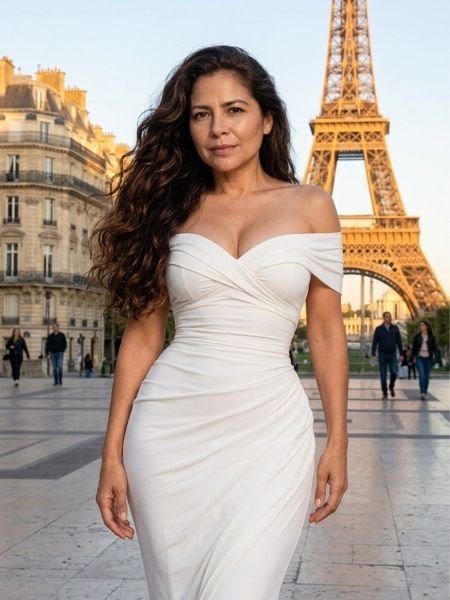 Paris
Paris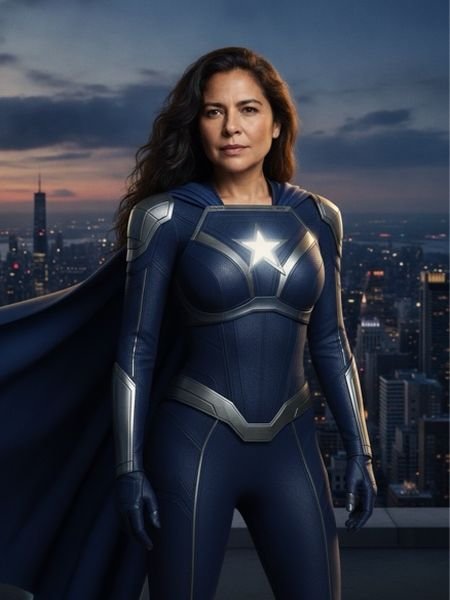 City Guardian
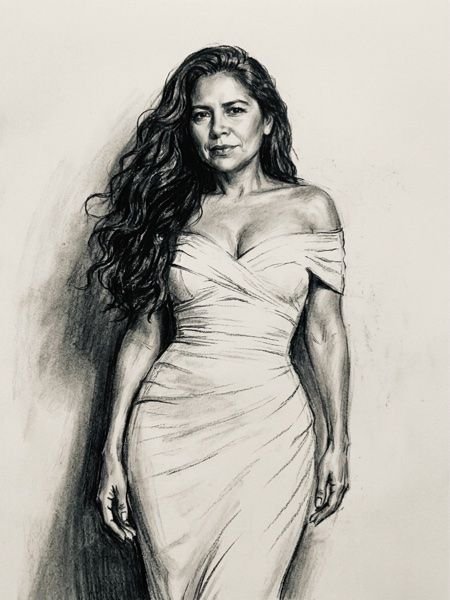 Charcoal
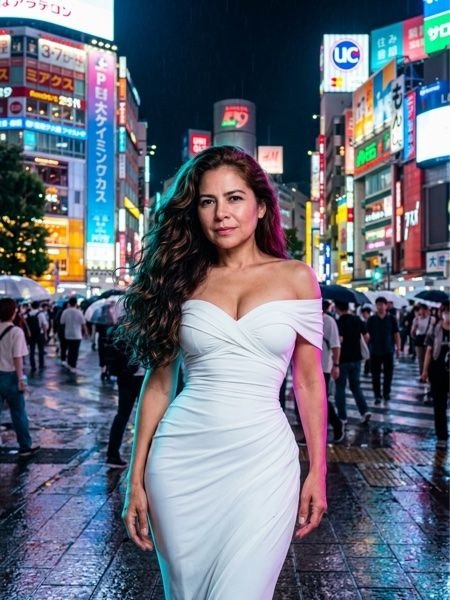 Shibuya Night
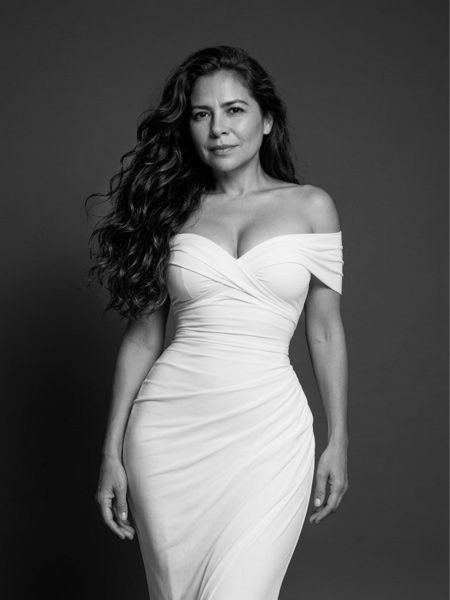 Studio B&W
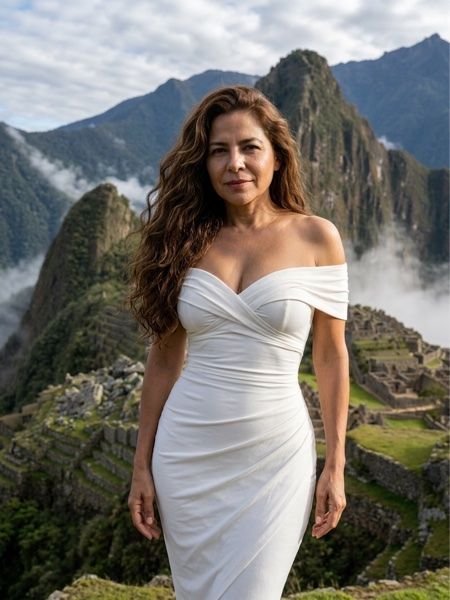 Machu Picchu
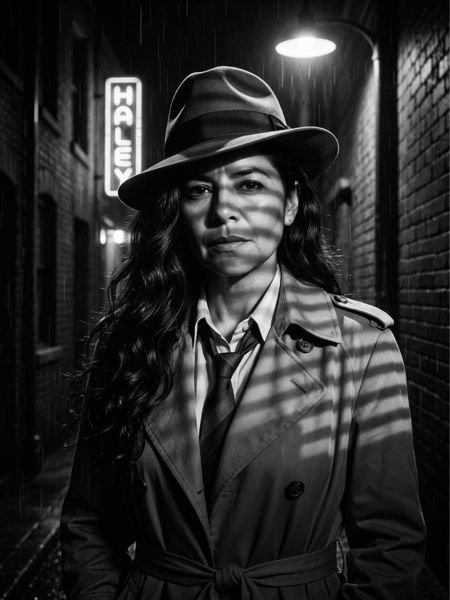 Film Noir
 Quinceañera
 Día de Muertos
Three steps, no laptop
Use the built-in camera, portrait or landscape, or let your real camera send every frame to the app over Wi‑Fi. Guests can also send a photo from their phone by scanning a QR code.
Pick a scene. The AI rebuilds the world around the person — a landmark, a studio, a movie look — while keeping face, hairstyle and body exactly as shot. 20–60 seconds.
Show a QR code, send by WhatsApp, SMS or email, AirDrop it, or print a 2×6 strip or 4×6 layout on any AirPrint printer. Every delivery is logged with the client's contact.
110 scenes written for photographers
Landmark and nature scenes keep the client's own clothing and match the light of the place. Heroes, movie looks and fantasy change the wardrobe. All prompts are orientation-aware, so a landscape shot comes back as a landscape scene. Add your own scenes with your own sample images.
Every way a client wants their photo
Let guests serve themselves
A welcome screen with your branding, guest modes (photo, AI scene, strip), slideshow, bilingual English/Spanish screens and a PIN-protected exit. Event profiles save the whole setup so the next event is ready in seconds.
No subscription, no credits, no account. AI scenes use your own Google Gemini or OpenAI API key — you pay the provider directly, typically a few cents per image, and nothing goes through us.
Download on the App StoreRequirements
- iPhone or iPad with iOS 17 or later
- A Gemini or OpenAI API key for AI scenes (capture, receive, QR and print work offline)
- For wireless intake: a camera with FTP transfer on the same Wi‑Fi or your phone's hotspot
Questions photographers ask
Do my clients' photos go anywhere?
Only the one photo you turn into an AI scene is sent to the provider you configured, over HTTPS, with your own key. Nothing is sent to us. Contacts stay on the device. Read the privacy policy.
Does it keep the person recognizable?
Yes. Every prompt instructs the model to keep face, hairstyle, skin tone and body as shot; only wardrobe, background and light change. Retouching is a separate, optional setting.
Which cameras work?
Any camera that can send files by FTP over Wi‑Fi: most Sony, Canon, Nikon, Fujifilm and Panasonic bodies from the last few years. The in-app guide covers the menus.
What does an AI image cost me?
Set by the provider: roughly $0.04–0.07 with Gemini and $0.04–0.15 with OpenAI at the time of writing. The app shows a running estimate.
Can I use it without internet?
Camera, wireless receiving, QR delivery on the local network and printing all work offline. AI scenes and remote sending need a connection or your phone's hotspot.